The kiosk, end-to-end.
Every screen you'd see walking up to a UNIMATE kiosk — home, login, search, directory, and the full 3D route flow. This is the real Godot app running in dev mode, not a mockup.
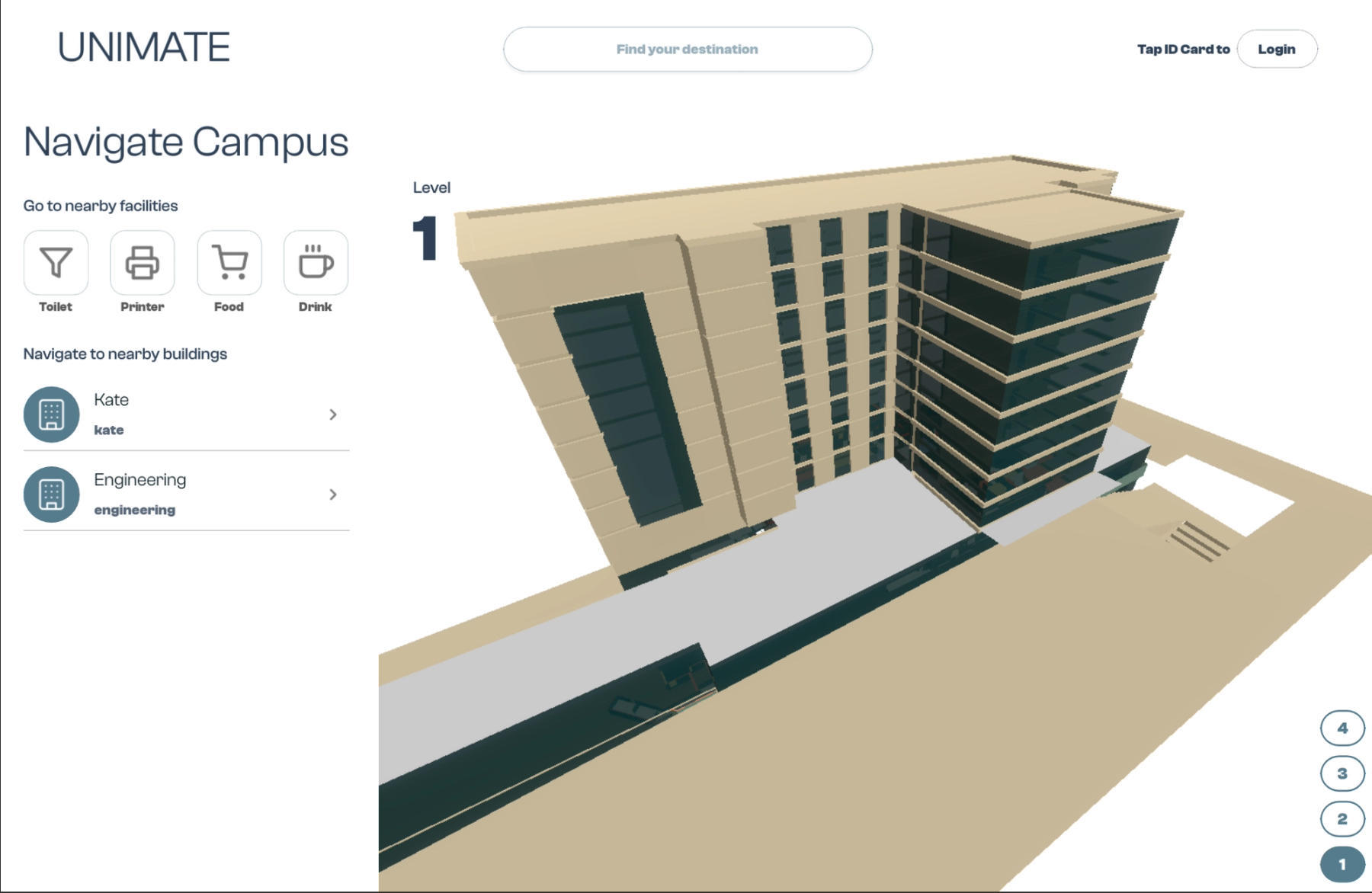
Tap your student ID card
The kiosk authenticates with a single NFC tap of your existing student card. No app download, no password entry, no account setup. If you need to sign in manually, email + password is there as a fallback — but the one-tap flow is the default.
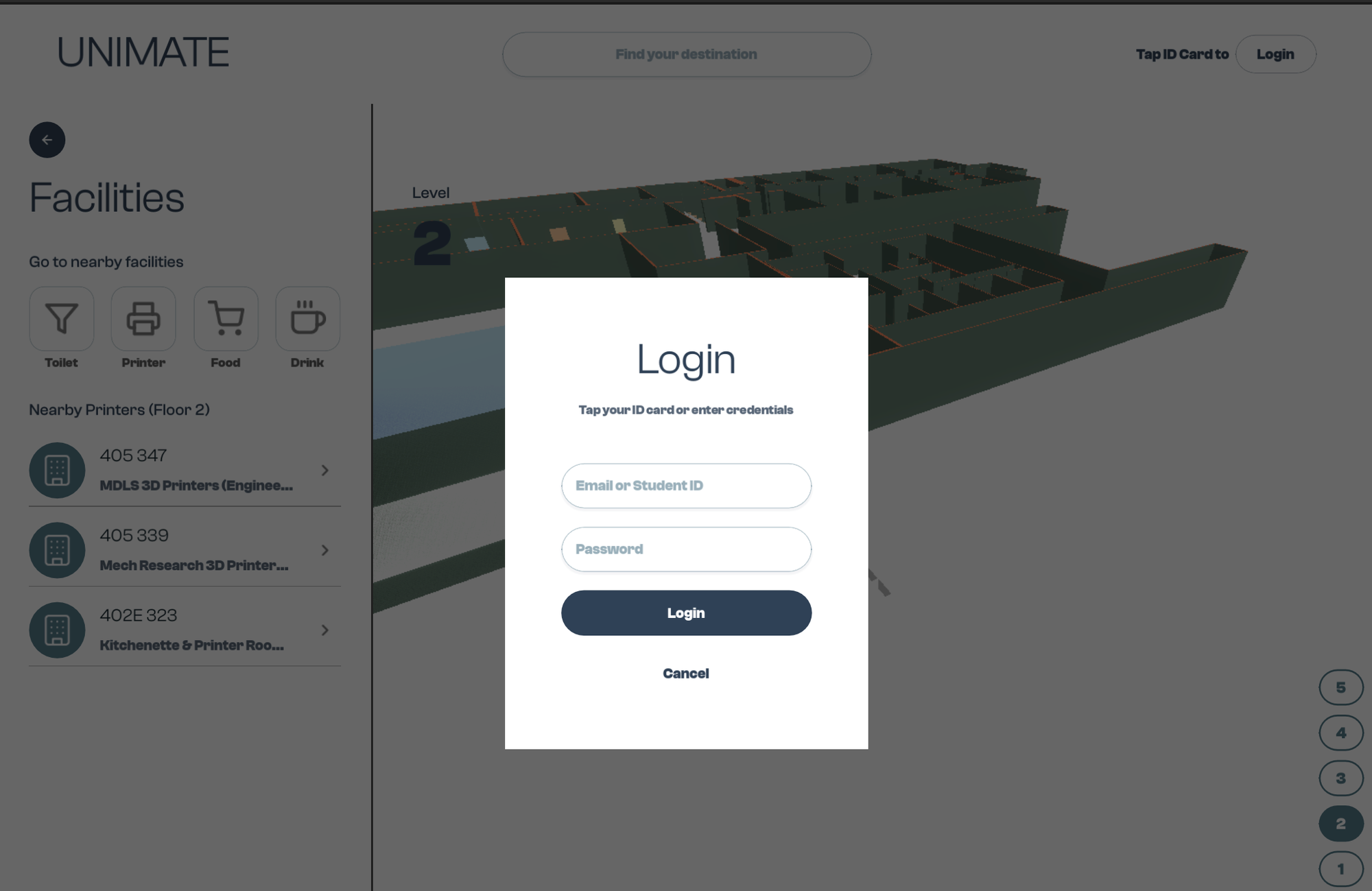
Find your destination
Type the room number, building, or facility you're looking for. Results appear instantly as you type, with starred favourites surfaced first. The on-screen keyboard is kiosk-optimised — big keys, high contrast, easy to hit while standing.
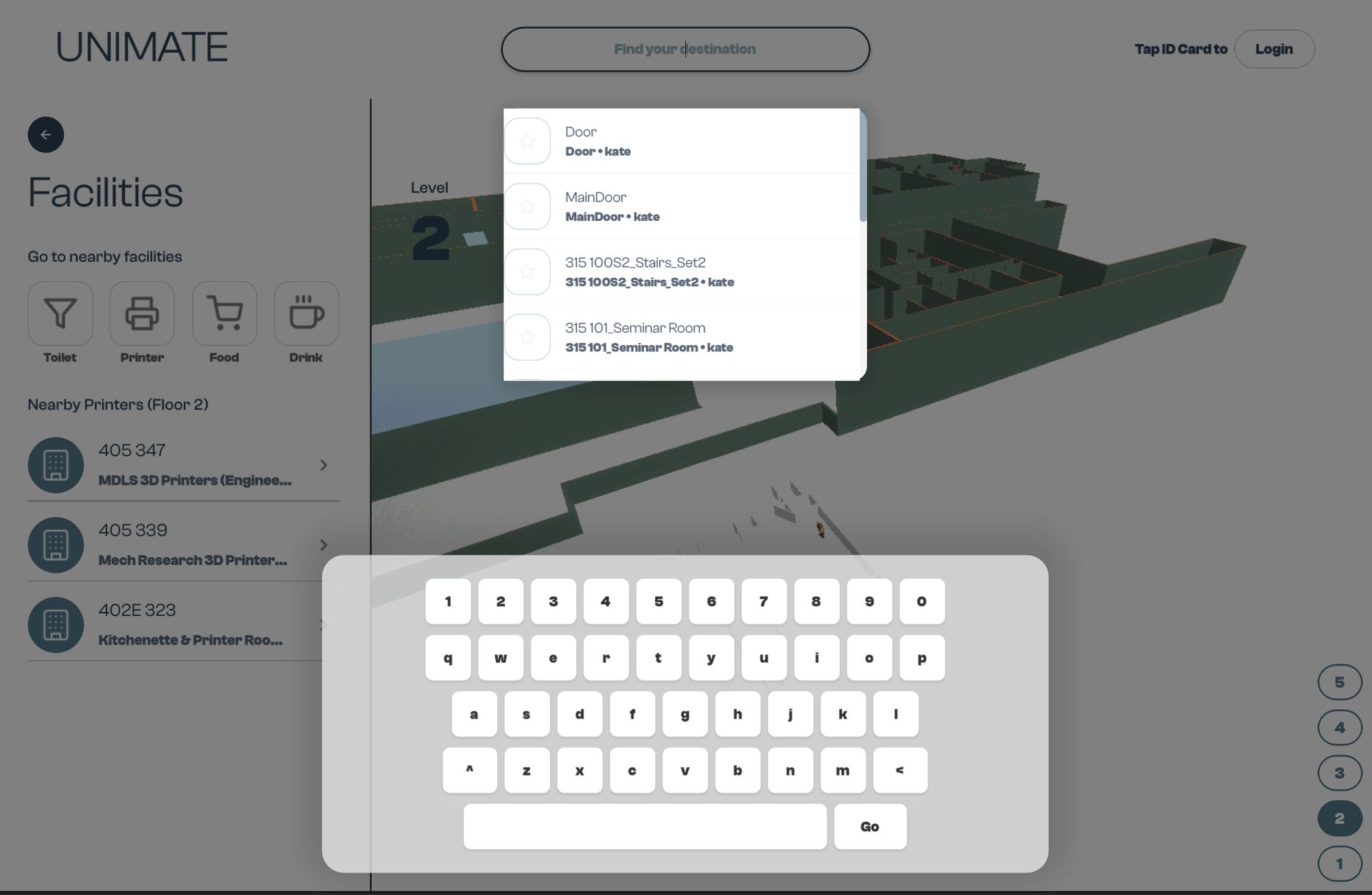
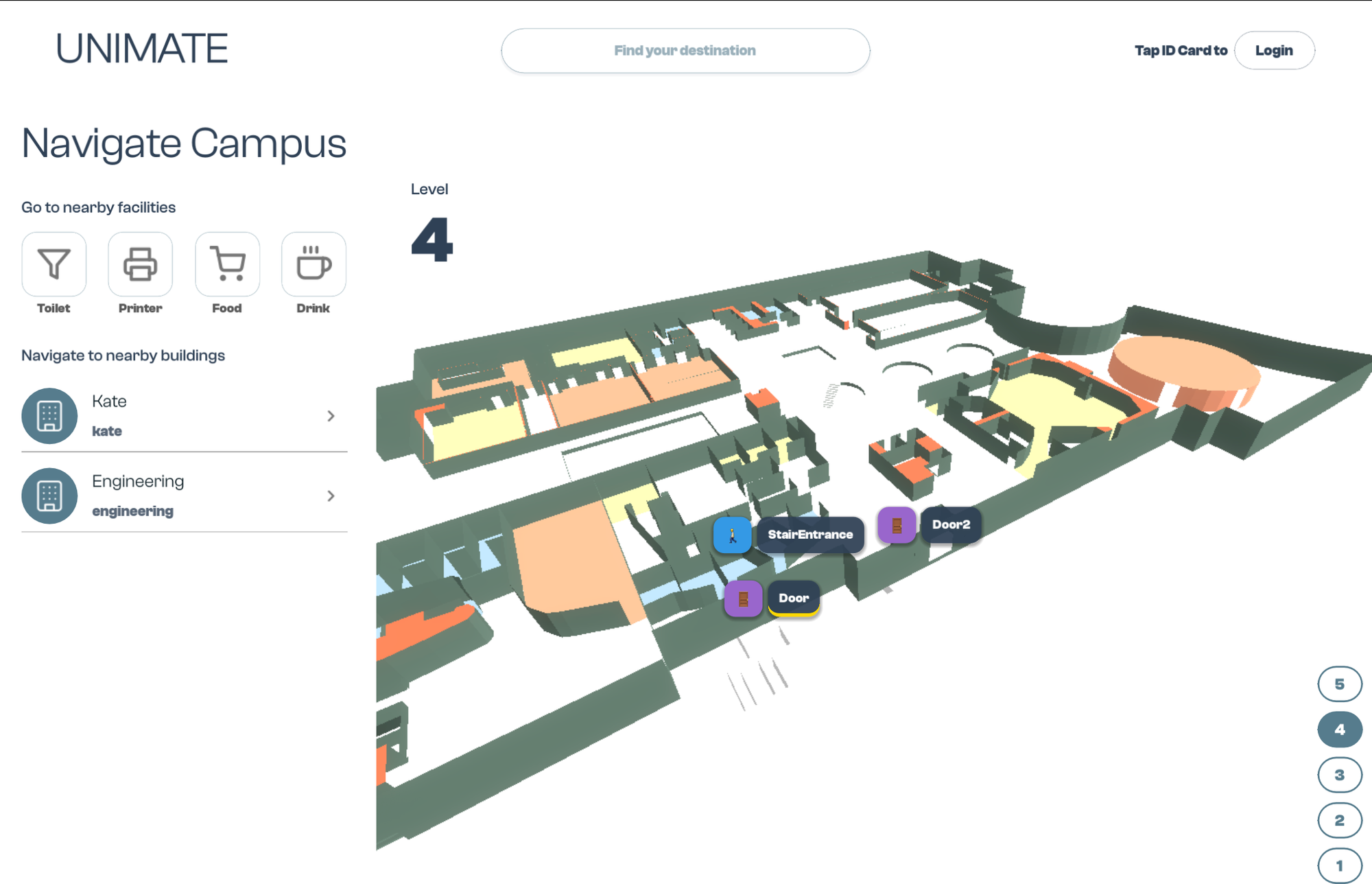
Nearby facilities on one tap
Need a toilet, a printer, food, or a drink? The four facility shortcuts at the top of the sidebar jump straight to the closest option on the current floor — ranked by walking distance, not arbitrary order.
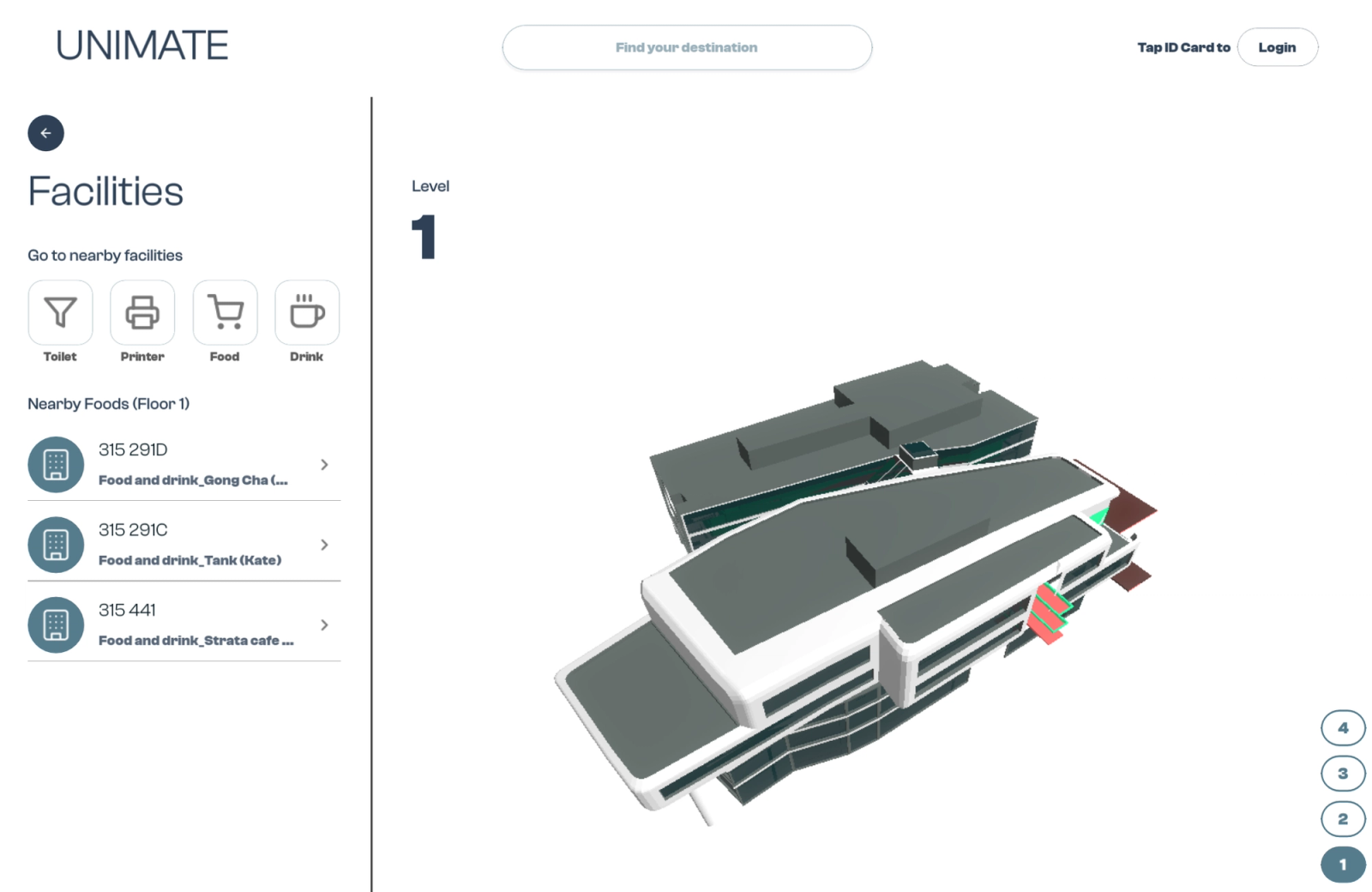
Browse the full building directory
Drill into any building and see every room on every floor. Room numbers, room names, and a live 3D view of where each one sits. Perfect for finding exam rooms, labs, or offices you've never visited before.
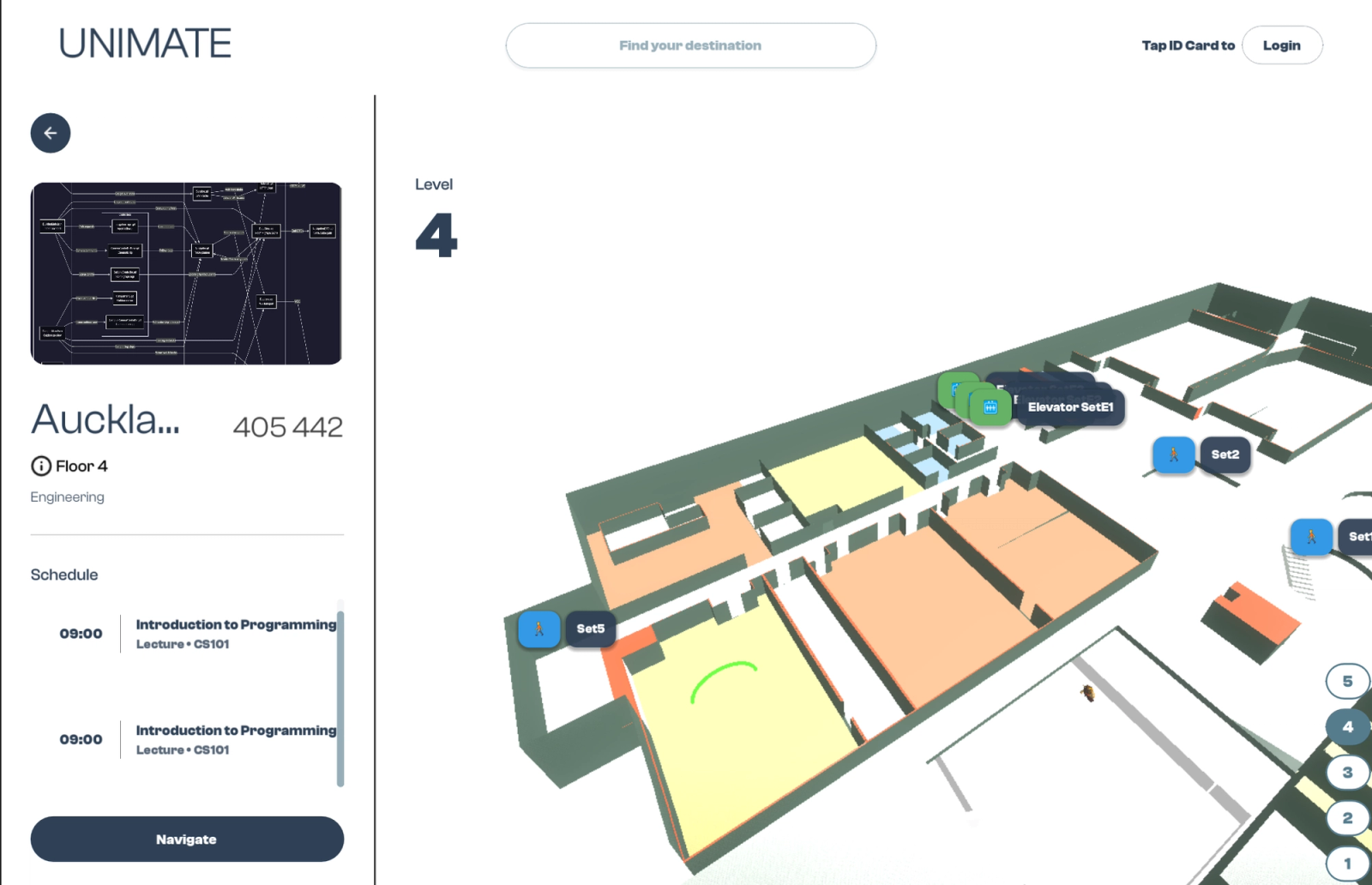
Navigate between buildings in 3D
The full campus is modelled in 3D — buildings, floors, stairs, doors. Doors and stair entrances are highlighted in real time on the map so you always see the exact path, not an abstract line.
From tap to arrival, the full 3D route.
UNIMATE breaks every route into clear phases — walk, stairs, walk — and animates the path across the full 3D mesh of the building. Students can pause, rewind, or step through the animation at their own pace.
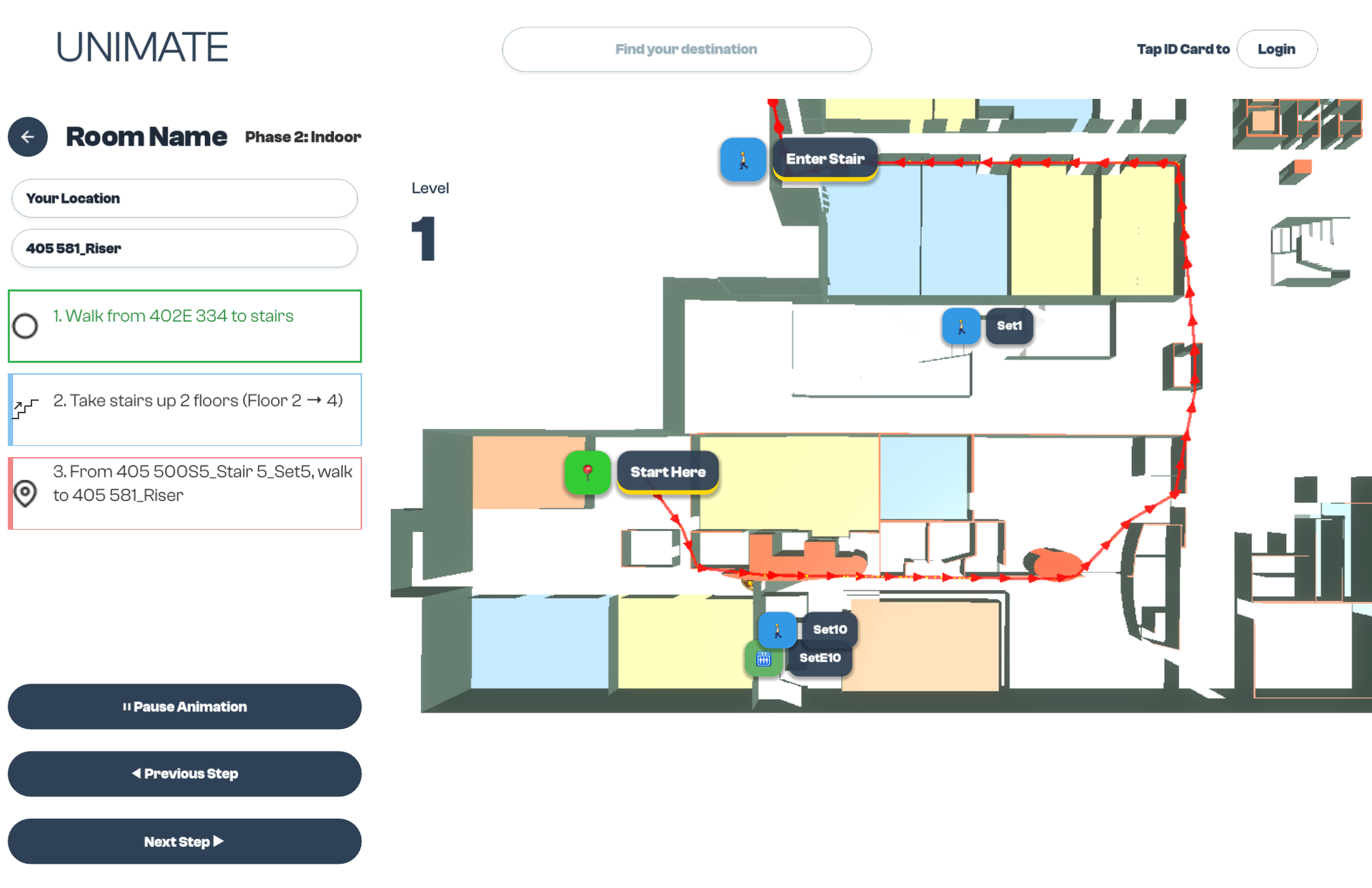
Step-by-step route with a real 3D path
Once you pick a destination, UNIMATE generates a step-by-step route broken down by phase — walk to stairs, take stairs up, walk to the final room. A red animated path renders on the 3D map so you can see exactly where to go.
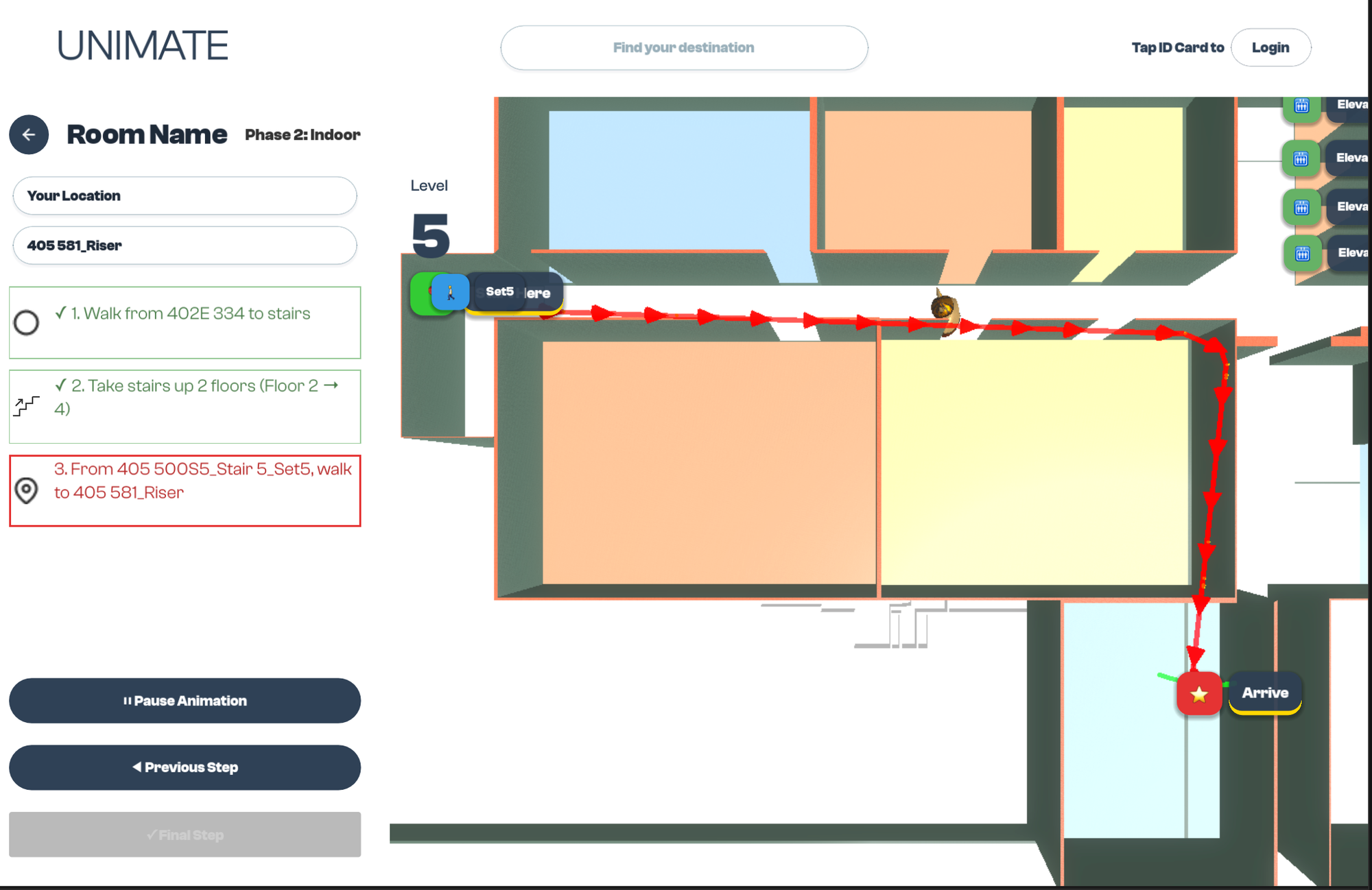
Arrive at your exact door
The path continues through stairs and across floors until it drops a pin at the exact door of your destination room. Pause, step back, or step forward through the animation at your own pace — UNIMATE waits for you.
Three audiences. One kiosk.
Universities care about operations and ROI. Students care about speed and ease. Visitors care about just getting there. UNIMATE is designed around all three from day one.
One kiosk replaces the wayfinding stack
Cuts front-desk wayfinding queries by ~30%. Eliminates reprinted maps. Integrates with existing SSO and timetable APIs. 28-month payback on base case.
Tap once. See your schedule. Go.
One-tap NFC login. Orientation time on the 3D map dropped from 34s to 12s. Works for first-years, transfers, and international students equally.
Find an unfamiliar building in seconds
Public search mode for visitors without a student ID. Room, building, and event lookup in one interface. Multilingual by default.