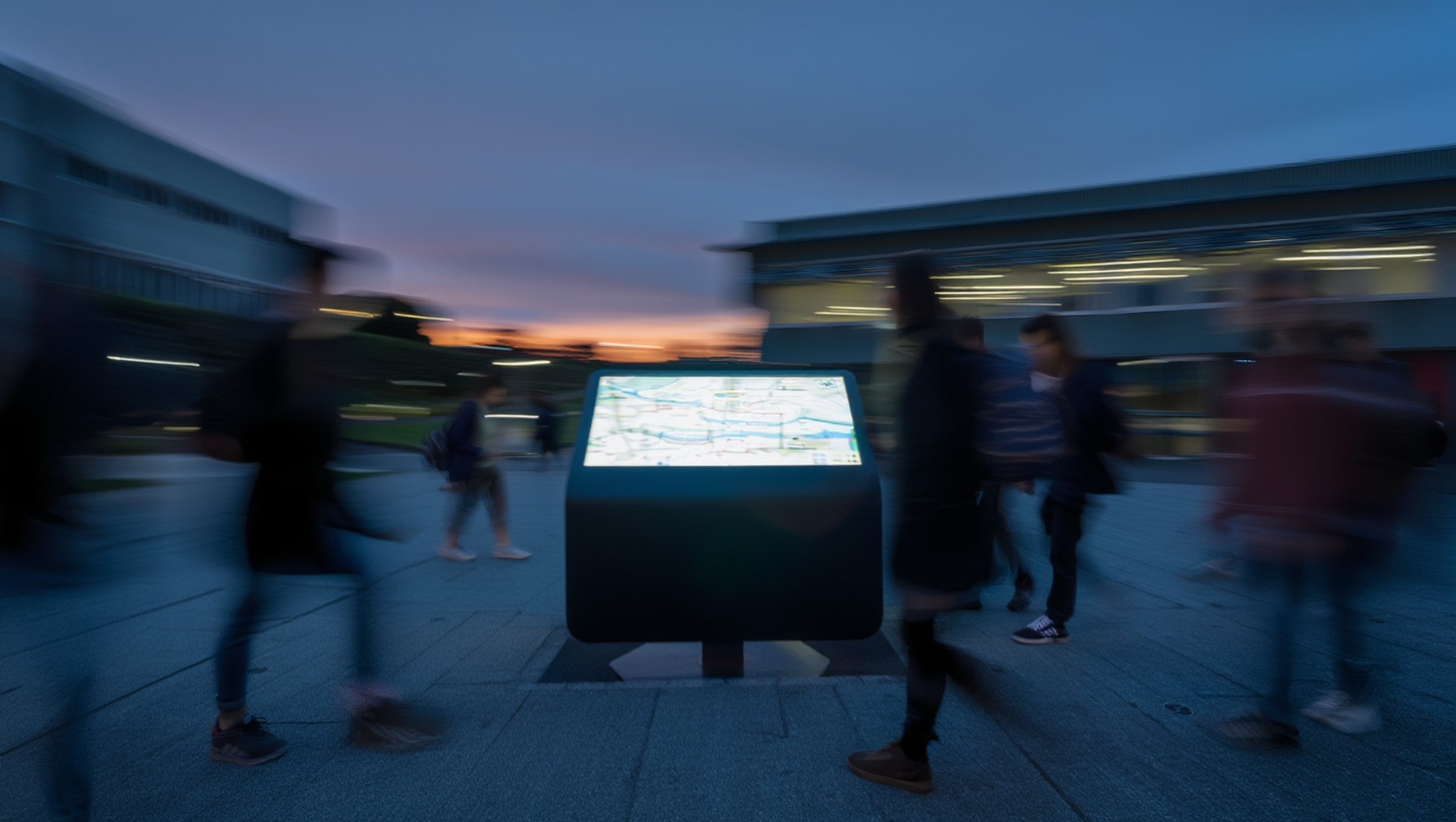
Real-time timetable and wayfinding in one tap.
UNIMATE is a real-time timetable and 3D wayfinding kiosk built for universities. Students tap their ID card, see their live schedule, and get the shortest route to their next class — in a single touch.
Simple navigation in one step
A clear 3D map appears, showing the precise route to the student's next class or destination.
Student ID card unlocks the system
A 3D map displays your exact route from the kiosk to your next class. Turn-by-turn directions appear on screen so you move with confidence.
Real-time timetable loads instantly
Room changes and schedule shifts sync automatically. You always see the current information, not yesterday's data.

Why universities invest in UNIMATE
UNIMATE is designed as a practical, fundable upgrade to your campus experience. It improves navigation for students, reduces staff workload and supports strategic goals.

Wellbeing
Improves student experience
Less stress finding rooms means more time learning. UNIMATE removes the friction of getting around campus.

Integration
Supports international students
Visual 3D routes and simple interaction give confidence to students unfamiliar with campus layouts or local language.
Growth
Reduces operational load
Fewer questions at the front desk. Staff can focus on higher-value support while UNIMATE handles wayfinding 24/7.
FAQs
Can't find the answer here?
Contact supportHow does UNIMATE help students find their next class?
Can administrative staff update the data directly?
Does UNIMATE replace our campus mobile app?
How does UNIMATE handle accessibility?
Can we pilot UNIMATE on one building first?
Can you send us an invoice?
How is data handled and stored?
Start your pilot deployment today
Let's discuss how we can transform campus navigation for your university with a tailored pilot program.